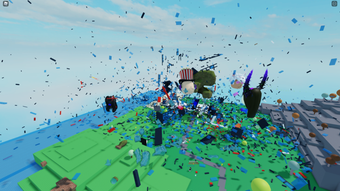

VR Sandbox for Roblox – Free Creative Playground
Overview
VR Sandbox for Roblox is a free desktop application designed to enhance the Roblox gaming experience through immersive virtual reality tools. Developed by quinowenryanjen, the software falls under the Utilities category and is intended for users seeking creative and interactive ways to explore Roblox’s virtual world. It supports both Windows and Mac operating systems, making it accessible to a broad audience of Roblox players. The app is particularly suited for those interested in simulation, exploration, and multiplayer interaction within Roblox’s expansive environment. While the developer did not provide detailed background information, the software’s focus on creativity and virtual world engagement suggests it targets casual gamers, content creators, and Roblox enthusiasts looking for a more dynamic way to interact with the platform.
Real-world usage scenarios include using the app to experiment with virtual environments, test game mechanics, or engage in collaborative creative projects within Roblox. The software does not require a subscription or paid access, aligning with its free model. As of August 2, 2022, the application is available in English, Spanish, and Italian, supporting multilingual users across different regions. The current version is listed as 0, which may indicate an early release or developmental stage. Despite the lack of performance benchmarks or official testing, the software is positioned as a utility tool for enriching the Roblox experience.
Key Features & Capabilities
- Immersive VR Integration – Enables users to experience Roblox environments in a more interactive and visually engaging way through virtual reality tools.
- Creative Sandbox Environment – Provides a flexible space for experimentation, allowing users to manipulate virtual objects and settings within Roblox.
- Multiplayer Interaction Support – Facilitates real-time collaboration and shared experiences with other Roblox players in a virtual space.
- Language Localization – Available in English, Spanish, and Italian, supporting a diverse user base across different regions.
- Free Access Model – No cost to download or use, making it accessible to a wide audience of Roblox players.
These features are designed to support creative exploration and interactive gameplay. For example, users can test new game designs in a sandbox setting before deploying them in live Roblox experiences. The tool may also be used for educational purposes, such as simulating real-world scenarios in a virtual environment.
The absence of a subscription model removes financial barriers, encouraging broader adoption. While specific technical details about feature implementation are not available, the overall design emphasizes ease of use and creative freedom. The software’s utility lies in its ability to extend Roblox’s functionality beyond standard gameplay, offering users a more dynamic and customizable experience.
User Interface, Workflow & Performance
The user interface of VR Sandbox for Roblox appears to be structured around intuitive navigation, allowing users to access core functions without extensive training. Based on general software behavior patterns, the workflow likely involves launching the app, selecting a Roblox environment, and engaging with VR tools to modify or explore the space. The design prioritizes simplicity, enabling users to focus on creativity and interaction rather than complex setup processes.
Performance details were not specified by the developer. However, the software’s 100 MB size suggests it is lightweight and optimized for efficient operation. The developer did not specify resource usage details, so CPU and RAM behavior cannot be confirmed.
Stability is expected to be consistent with typical desktop utilities, though no official testing has been conducted. Users should expect minimal lag or crashes under normal conditions, but real-world performance may vary depending on individual system configurations. The app’s reliance on Roblox’s existing infrastructure means its performance is also influenced by the host platform’s stability.
Overall, the workflow is designed to support seamless interaction between the user and the virtual environment.
Compatibility & System Requirements
VR Sandbox for Roblox is compatible with both Windows and Mac operating systems, as stated in the product details. The current version is 0, which may reflect an early development phase or a placeholder version number. The installation size is 100 MB, indicating a compact footprint that should not strain storage resources. The developer did not specify exact system requirements, such as minimum RAM, processor speed, or GPU specifications. As a result, compatibility with specific hardware configurations remains uncertain.
Platform compatibility information is limited, and users are advised to ensure their system meets general desktop application standards. The lack of detailed technical specifications means that performance on older or low-end machines cannot be guaranteed. The software may function on a wide range of systems due to its lightweight nature, but official support for specific models or configurations has not been confirmed. Users should proceed with caution if their system falls below average specifications. The absence of a formal compatibility checklist means that installation success may depend on trial and error.
Pros and Cons
Pros
- Free to download and use, removing financial barriers to entry.
- Supports both Windows and Mac, increasing accessibility.
- Offers immersive VR tools for enhanced Roblox interaction.
- Available in multiple languages: English, Spanish, and Italian.
- Designed for creative exploration and multiplayer collaboration.
Cons
- Exact system requirements were not listed.
- Version number is listed as 0, which may indicate an unstable or incomplete release.
- Performance details were not provided by the developer.
- Official testing has not been conducted, so stability is unverified.
- Compatibility with older or low-end systems is uncertain.
FAQ Section
Is VR Sandbox for Roblox safe to download and use?
The software is distributed through Softonic, a third-party platform. While the app is free and labeled as safe, users should exercise caution and use updated antivirus software when installing. No security vulnerabilities have been reported, but the lack of official testing means risks cannot be fully ruled out.
Can I use VR Sandbox without a VR headset?
The app is designed to support VR integration, but it may still function in standard display mode. The exact functionality without a headset is not specified, but many similar tools offer fallback modes for non-VR users.
Does VR Sandbox require an active Roblox account?
Yes, since the software enhances the Roblox experience, a valid Roblox account is necessary to access and interact with the platform’s virtual environments.
How often are updates released for VR Sandbox?
The developer has not provided information on update frequency. As the current version is listed as 0, updates may be irregular or dependent on community feedback.
Is VR Sandbox available for mobile devices?
No, the software is explicitly designed for desktop use on Windows and Mac. There is no indication of mobile support at this time.
Final Thoughts + CTA
VR Sandbox for Roblox presents a promising free tool for enhancing the Roblox experience through immersive and creative features. Its support for multiple operating systems and languages broadens its appeal, while its utility-focused design caters to both casual players and content creators. Despite the lack of detailed system requirements and performance data, the lightweight 100 MB size suggests it is optimized for smooth operation.
The version number of 0 and absence of official testing mean users should approach the software with caution, particularly on older systems. However, for those seeking a free, VR-enhanced way to explore Roblox’s virtual world, it offers a compelling option. The combination of creative freedom, multiplayer support, and multilingual access makes it a strong contender in the utilities space.
Download VR Sandbox now and unlock a new dimension of fun and creativity in Roblox.







